
By Marcus
Originally published as a preview of RoxHQ in July 2025. This article has been updated to explain the tools available today.
Choosing a HYROX race is the first of several planning decisions. You need an entry, somewhere to stay if you’re travelling, and a plan for the people joining you. As race week gets closer, confirmed start times and race-day information become the priority.
RoxRadar helps you find the event and plan the trip. RoxHQ brings your crew together for race week and race day. They’re separate products from the same team, built around those different parts of preparing for a race.
From a global calendar to planning the whole weekend
RoxRadar launched in late June 2025 for HYROX Singapore. The starting point was a global race calendar: a way to compare events without piecing the season together from different websites.
Today, that calendar sits alongside ticket information, alerts, hotel discovery and event guides. You can research a race close to home or work out whether a destination event fits your plans.
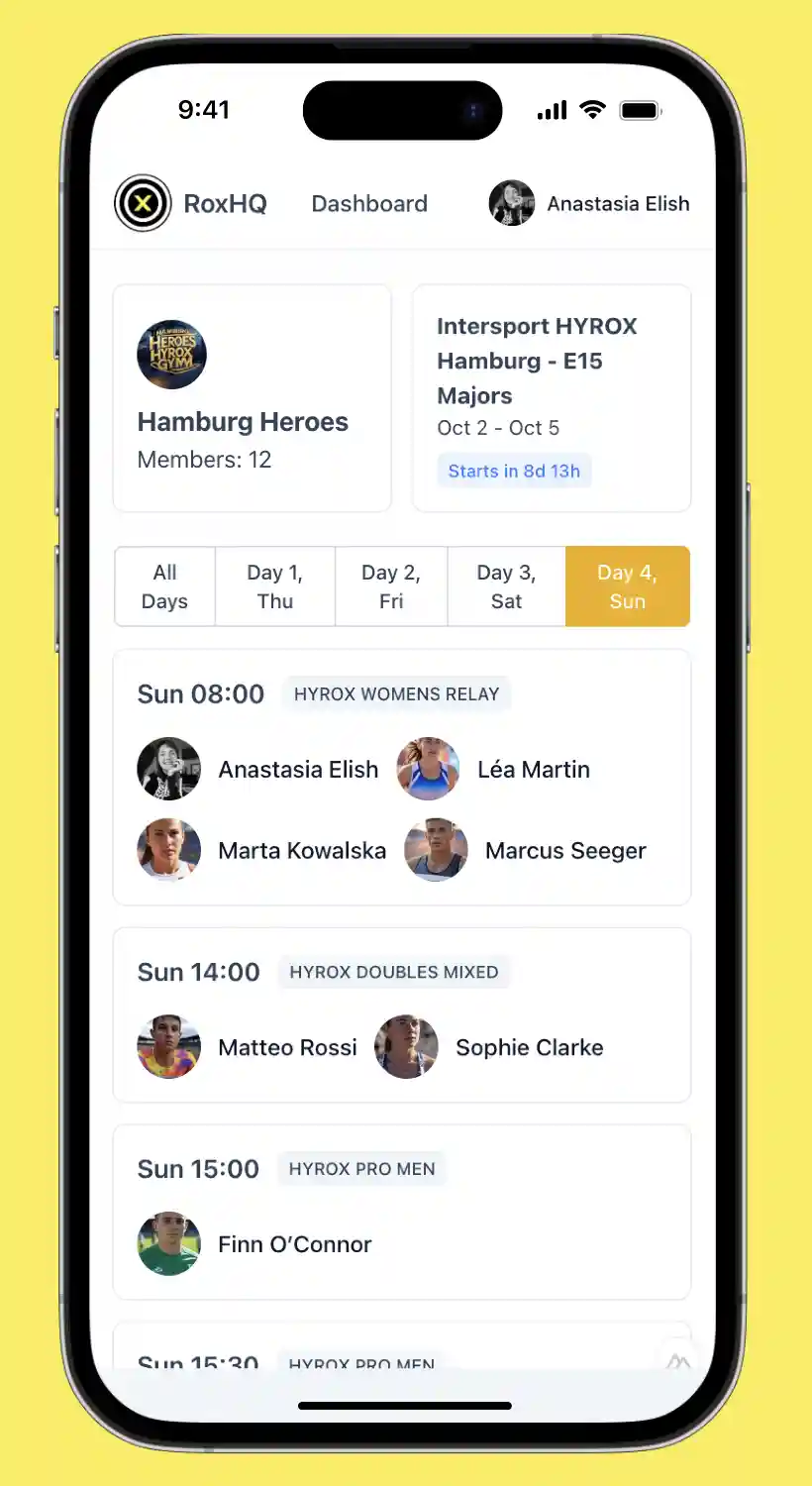
RoxHQ takes care of the crew’s race-week coordination. You can see who is attending, build a shared schedule when official start times are released, and follow teammates during the event.
Here’s how to use each product as your plans take shape.
1. Find your race and work out the ticket situation
Start with the RoxRadar HYROX calendar. Browse in list or map view, filter by location, date and ticket status, then open an event for its venue and planning information.
You can save events in My Races inside your RoxRadar account, whether you’re comparing possibilities or organising several races across the season. Saving an event doesn’t buy an entry or activate a ticket alert.
If you still need a ticket, RoxRadar Ticket Alerts cover two different situations:
- Free On Sale Alerts notify you about the first public ticket sale for an event.
- Paid Ticket Trackers monitor a selected sold-out or unavailable category and notify you if availability returns.
You buy your ticket through HYROX or its official ticketing provider. RoxRadar doesn’t sell or reserve tickets, and an alert can’t guarantee that an entry will still be available at checkout.
2. Plan the trip around the venue
Once you have an event in mind, use RoxRadar’s race-planning guides to work through accommodation and travel.
Compare staying near the venue with staying elsewhere in the city. Look at the journey to the event entrance, airport connections and the arrangements for getting back after you finish. Depending on the destination, the guides also include food, gyms and recovery options.
The detail available varies by event. Check the latest official dates, venue and schedule before booking, along with your travel providers’ cancellation terms. A published division schedule gives you a starting point, but your personal start time may still be unconfirmed.
3. Bring your crew into RoxHQ
When you’re organising people for the same event, create a free Crew HQ in RoxHQ. Share its team-specific invitation link with athletes, coaches and spectators.
Every member needs their own free RoxHQ account. Existing users follow the invitation straight to the team; new users create an account first, then join. Athletes add their race and category details themselves.
You can do this before official start lists are published. Free Crew HQ setup lets you see the group taking shape and includes the Race Guide, with information such as check-in details, run laps and ceremony times.
RoxHQ runs in a web browser, so there’s no app to download or install.
4. Add official start times with Race Pass
Once the official HYROX start list is available, a paid Race Pass matches your crew to that list and syncs exact start times into a shared race-week schedule.
That gives the crew a view of when everyone is racing, so you can plan when to be ready and when to support teammates.
The team owner or a nominated admin buys Race Pass for the selected event. One purchase covers the whole crew, including members who join later, with unlimited crew members and event days. There’s no subscription or per-athlete fee.
Check your event’s availability and current Race Pass pricing. Race Pass is separate from a RoxRadar Ticket Tracker subscription and covers the event you purchase it for.
5. Follow your crew on race day
Race Pass also adds live progress in a crew list and map, run and station splits, and final results.
Map updates come from actual official HYROX timing-chip readings. Each recorded timing point appears after a short delay, giving the crew a near real-time view of race progress. The map doesn’t use phone GPS or predicted positions between timing points.
Coverage depends on the event data and timing feeds available to RoxHQ. Updates can be delayed or incomplete, so check official event information when confirming start times, changes or results.
Start with the stage you’re at
Still choosing where to race? Explore the RoxRadar calendar and plan the trip around your event.
Already organising a group? Create your Crew HQ free, choose your event and share the invitation link. You can add Race Pass when you’re ready for official start-time syncing and live race-day tools.
Joining an existing crew? Ask your organiser for its RoxHQ invitation link so you arrive at the right team.
RoxRadar and RoxHQ are independent of HYROX and are not affiliated with, endorsed by or operated by HYROX.